New GUI for Kap
The first user interface that was implemented for Kap was the JavaFX based GUI. This application was started as a way for me to learn about JavaFX, which I thought at the time was the future of non-web-based UI's for Java.
How wrong I was.
Turns out that while JavaFX is really neat, and does some things (especially animation) very well, it's also very much half-baked. The API can be very difficult to work with, and it seems like even the designers added many of the features needed to create a powerful native UI in a rush just to get something to work. It seems as though Oracle agreed, since they unbundled JavaFX into its own project, with Swing remaining in the JDK.
After a particularly annoying set of bugs in JavaFX and surrounding third-party libraries, I decided to go back to the prototype Swing-based client to see if I could whip it into shape. Doing so would also have the benefit of not requiring separate downloads for different operating systems, since the same distribution would work on any platform with Java 25.
It didn't actually take very long to reimplement pretty much all the features of the JavaFX client using Swing, and then adding several more.
REPL
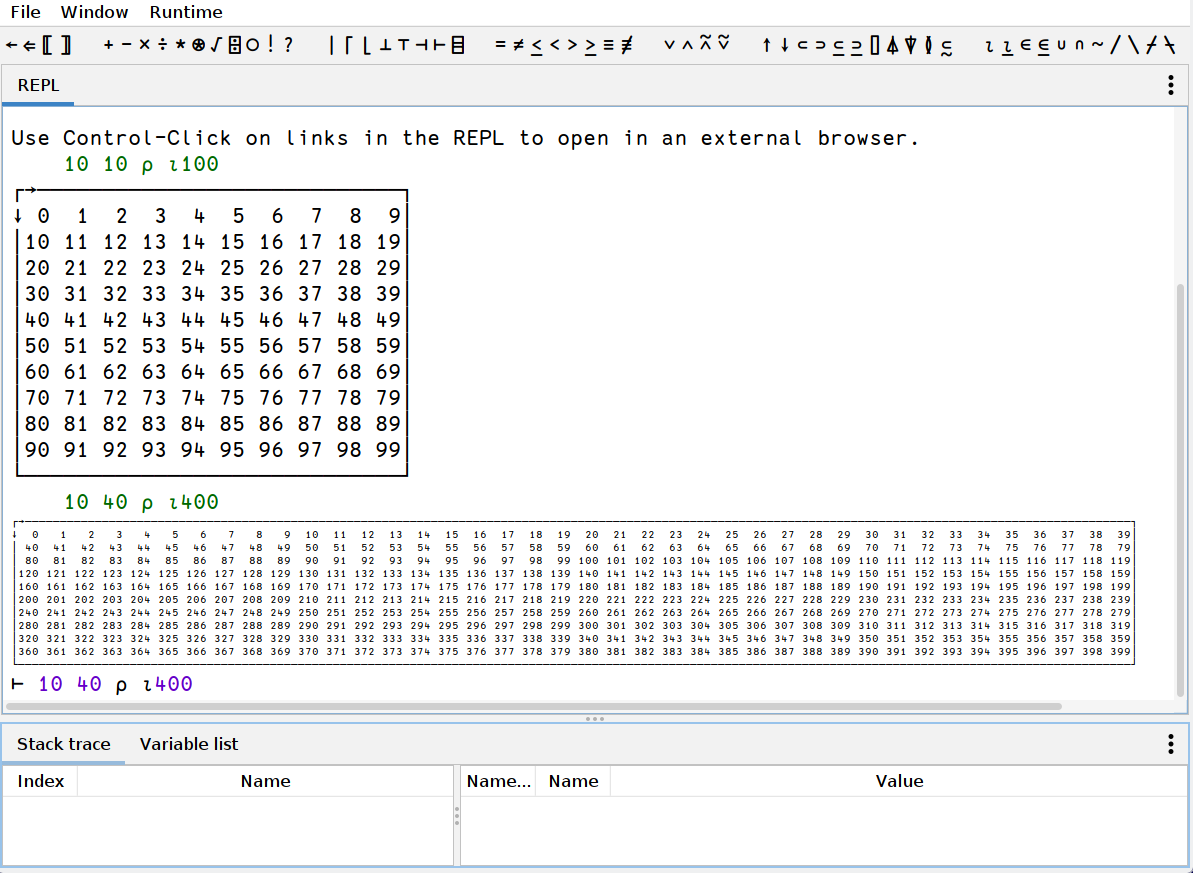
The REPL now resizes the result if it can, up to a minimum font size that is configurable in the settings. It's also possible to configure the max size that is rendered before the content is trimmed. This can be set using the following command:
'kap:rendererParameters sysparam (wLeft wRight) (hTop hBottom)
Where wLeft is the number of characters before the trim, and wRight is the number of characters to the right. Likewise for the height using the values for hTop and hBottom.
These parameters currently has a default value of (200 50) (60 10) which is rather small. These should probably be automatically set depending on the resolution of the screen.
You can always configure these parameters by adding the command to update it in your initialisation file at $HOME/.kap/init.kap.
Source editor
The source editor now has fully functional syntax highlighting that doesn't completely hang the editor if you're trying to edit a file larger than a few hundred lines. It's now extremely fast. It also highlights symbols that represent function calls in a different colour, which makes a remarkable difference in code readability.
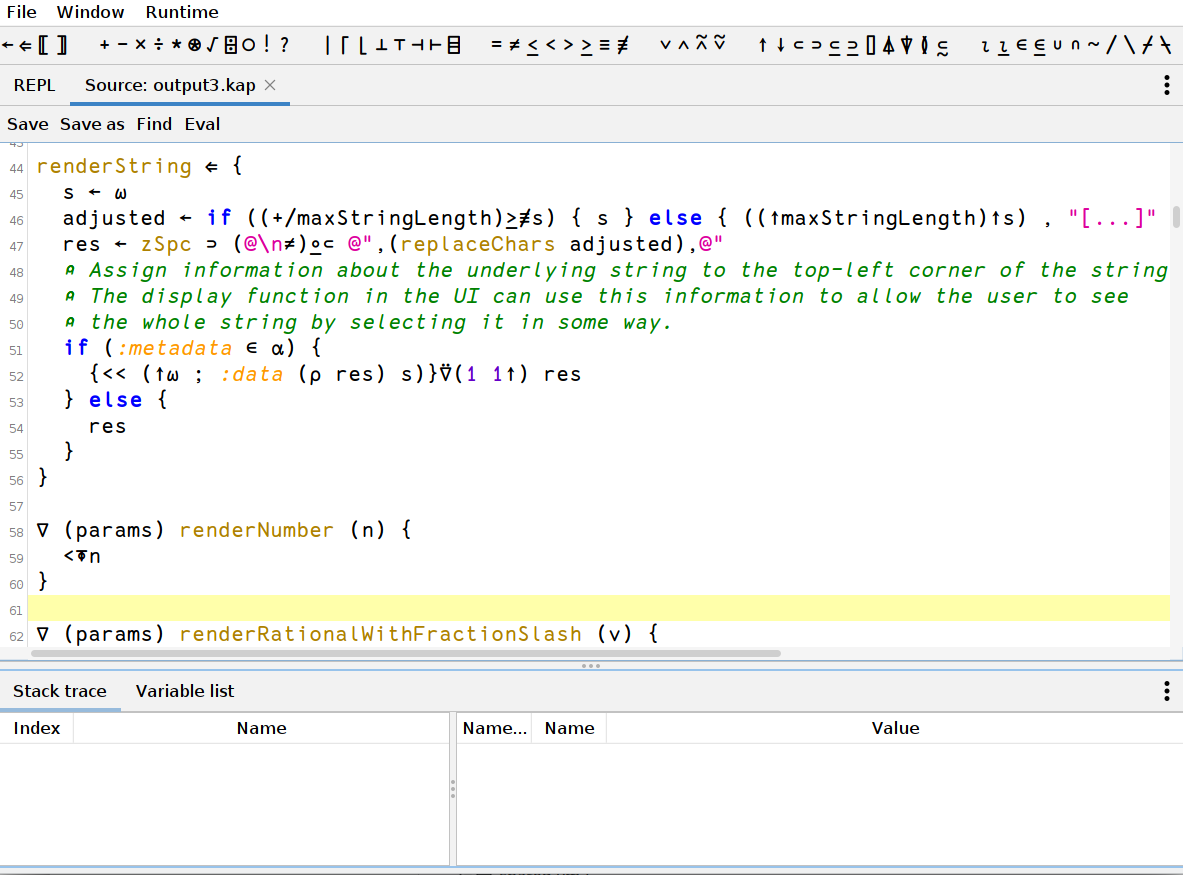
In the above screenshot, replaceChars is a function call. Search is also actually useful, as it too is now fast.
Array editor
The array editor behaves mostly the same as in the JavaFX version. The biggest improvement however is that the code is now maintainable. The API to work with tables in JavaFX is horrifyingly bad, and a separate blog post about this should probably be written.
Here's a video clip showing how the new array editor works:
Object editor
This is a completely new feature in the Kap GUI. When working with nested data, it can be difficult to get a good overview of the information when it's rendered using the standard boxed form. The object viewer allows the user to inspect the data in tree form. This is particularly useful when working with JSON data, as shown in the following video:
Improved error reporting
The error reporting has also been improved compared to the old UI. There are two main changes:
First, error highlighting how shows not only the row where the error occurred, it also shows the specific part of the expression that was being evaluated when the error occurred.
Secondly, it is now also possible to inspect the content of variables in any stack frame that was visible at the time of error. The following video shows these features in action:
How to download the new Kap GUI
When downloading the latest release from the Kap website, the new version is now available. It's also possible to build it from source by downloading it from Codeberg